The best keyboards for work balance a layout that fits your desk with the connections and controls your daily tasks need. These picks range from quiet, rechargeable office models to compact mechanical keyboards, so choose by typing preference, number-pad needs and device setup.
Quick Top Products
JLab JBuds Wireless Keyboard

- 95 soft-touch keys and a media knob provide quiet typing and quick playback control.
- Connect to up to three devices over Bluetooth or the USB wireless dongle.
- Rechargeable battery supports up to 30 days of wireless use.
Best For: People who switch between computers and value quiet typing with a number pad.

JLab Epic Wireless Keyboard

- Full-size layout includes 108 backlit keys.
- The rechargeable battery has a 2000 mAh capacity.
- Bluetooth can pair with up to three devices, with a USB dongle option.
Best For: People who want a full-size layout, low-light visibility and wireless multi-device switching.
SOLAKAKA KI99 Pro 96%
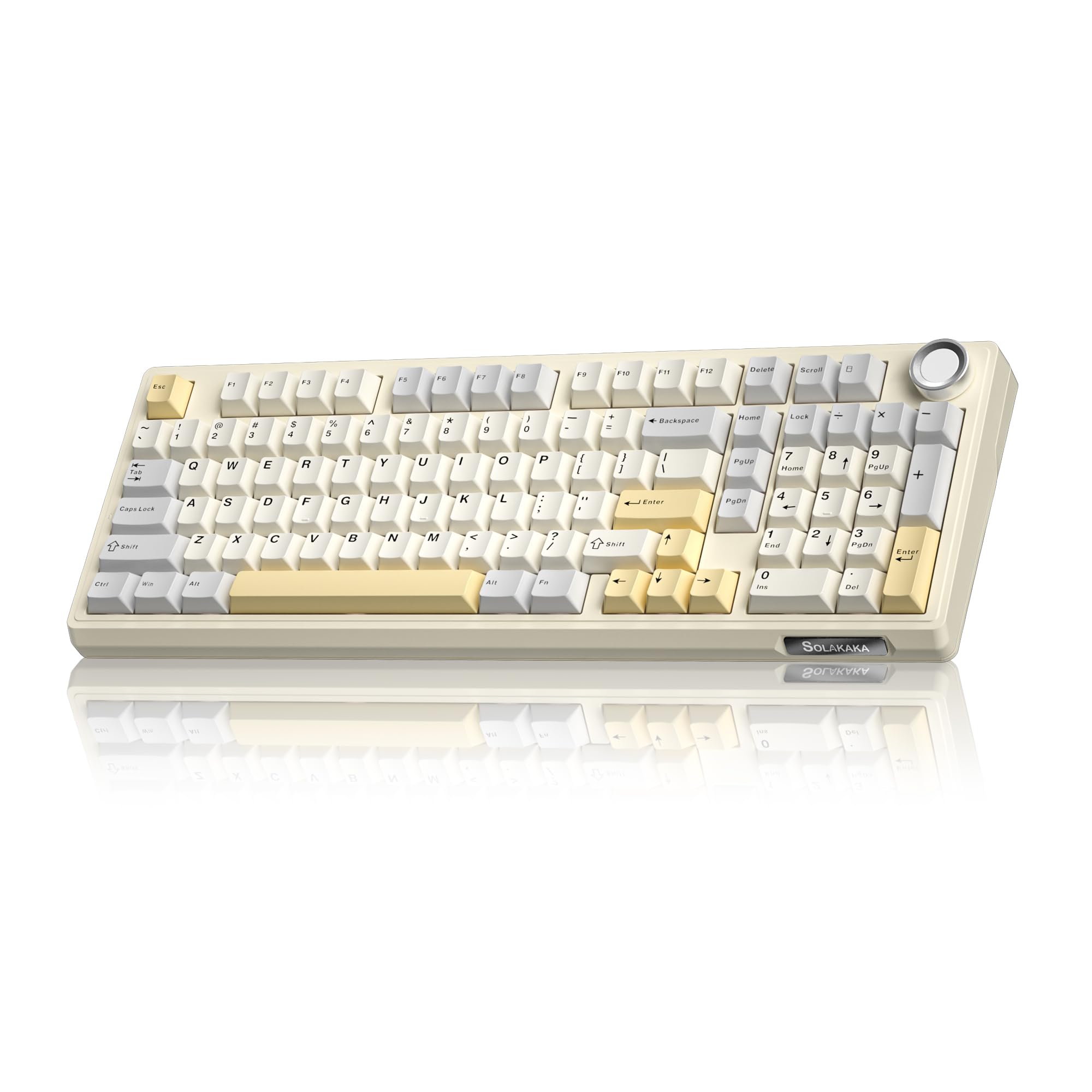
- 96% layout keeps a number pad in a more compact format.
- Triple-mode connections include Bluetooth, 2.4GHz wireless and Type-C wired.
- Replace compatible switches without soldering.
Best For: People who want a compact mechanical board with a number pad and replaceable switches.
SOLAKAKA KI99 Pro Silent Switch

- Silent switches and five noise-reducing layers are designed to reduce typing noise.
- The 96% layout includes a compact number-pad arrangement.
- Supports Bluetooth, 2.4 GHz and Type-C connections.
Best For: Mechanical-keyboard users who want a compact number-pad layout and quieter switches.
JLab Go Wireless Keyboard 4-Pack
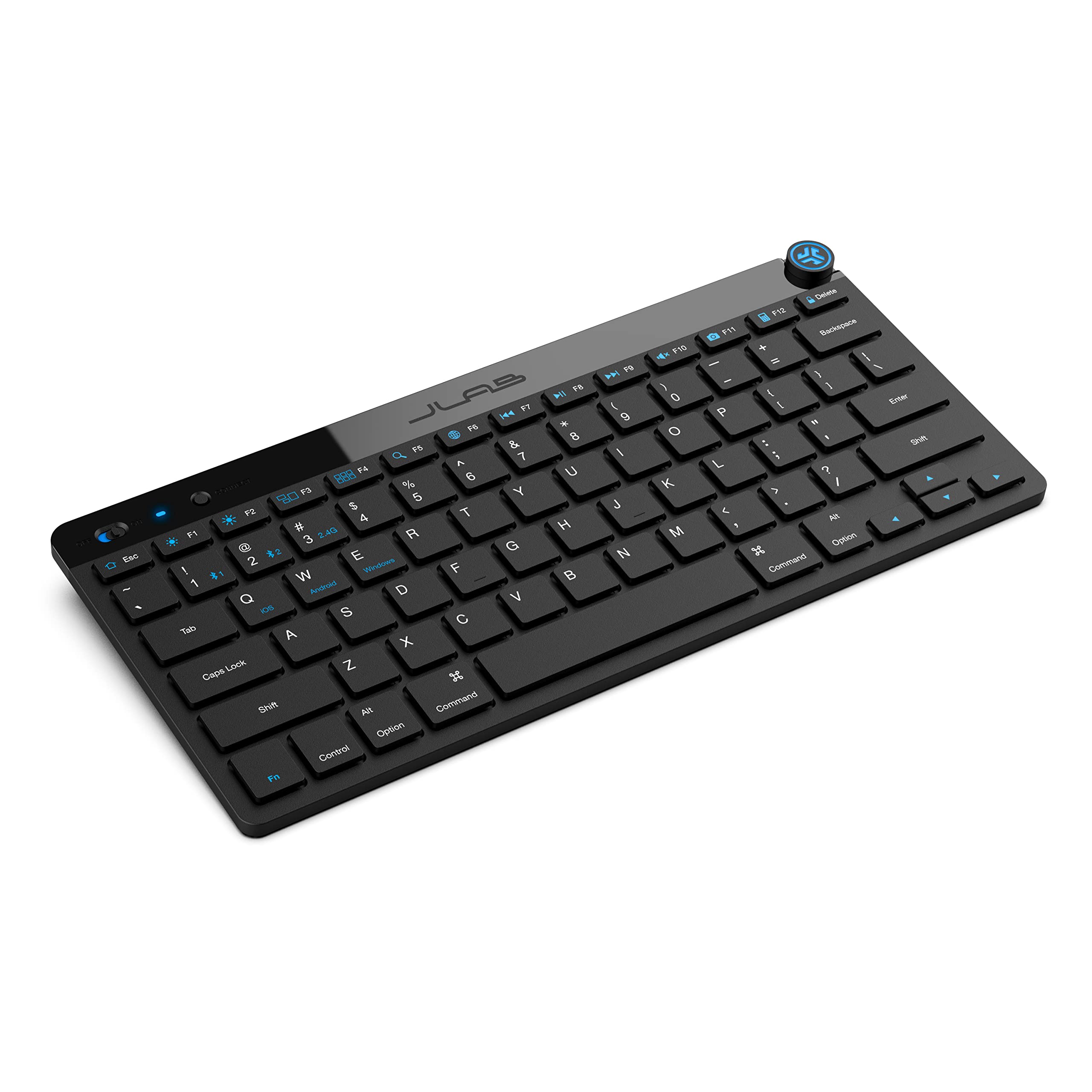
- Compact, low-profile keys are designed for quiet typing.
- Switch among up to three saved devices using Bluetooth or a USB dongle.
- This offer comes as a four-pack.
Best For: People outfitting several compact workstations or moving between laptop and tablet setups.
SOLAKAKA A75 75% Wireless Keyboard
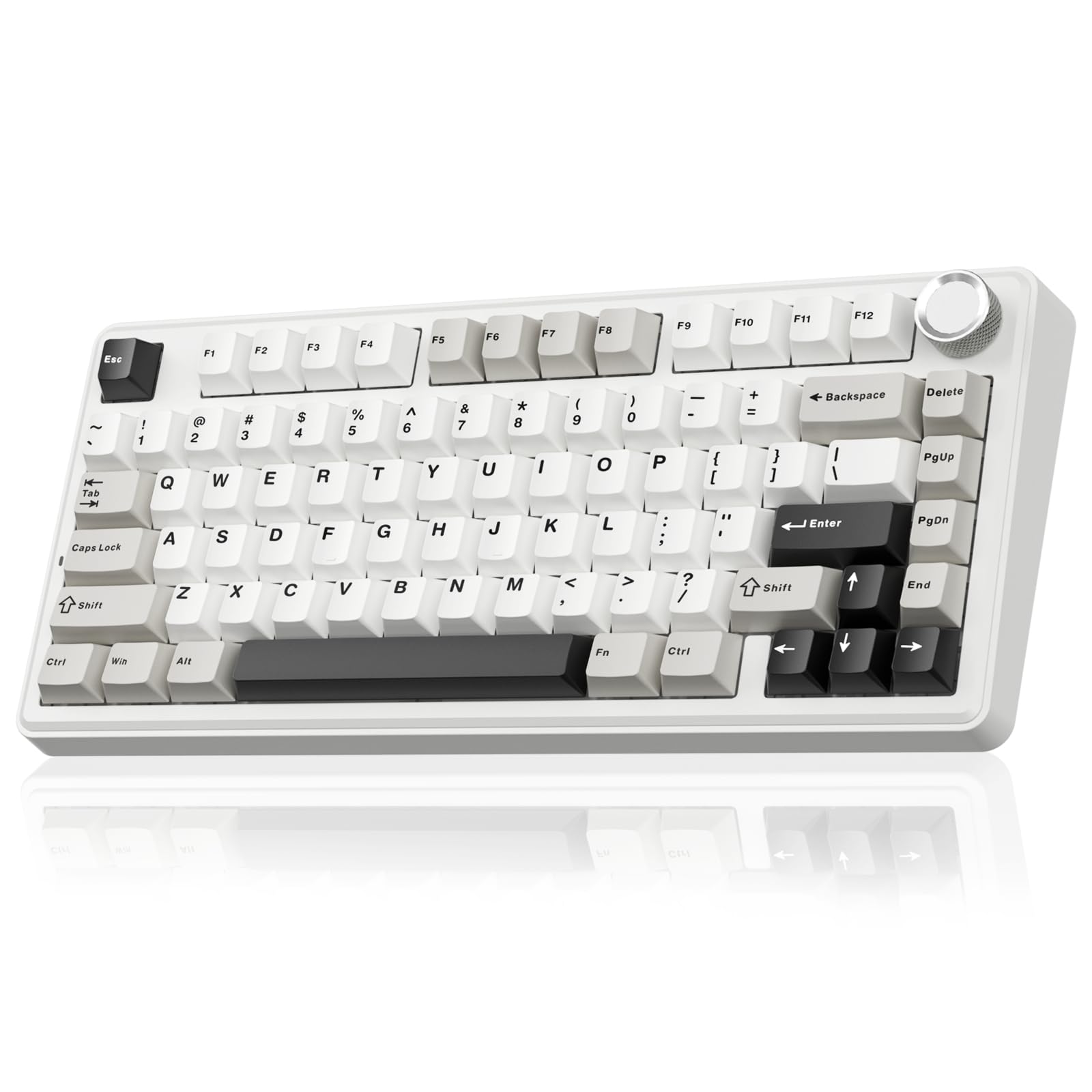
- The 81-key 75% layout retains arrow keys in a compact format.
- Connects using 2.4GHz, Bluetooth 5.0 or USB-C.
- PBT keycaps resist sweat and fading.
Best For: People who want a smaller mechanical keyboard with arrow keys, wireless options and PBT keycaps.
SOLAKAKA A99 Pro Mechanical Keyboard
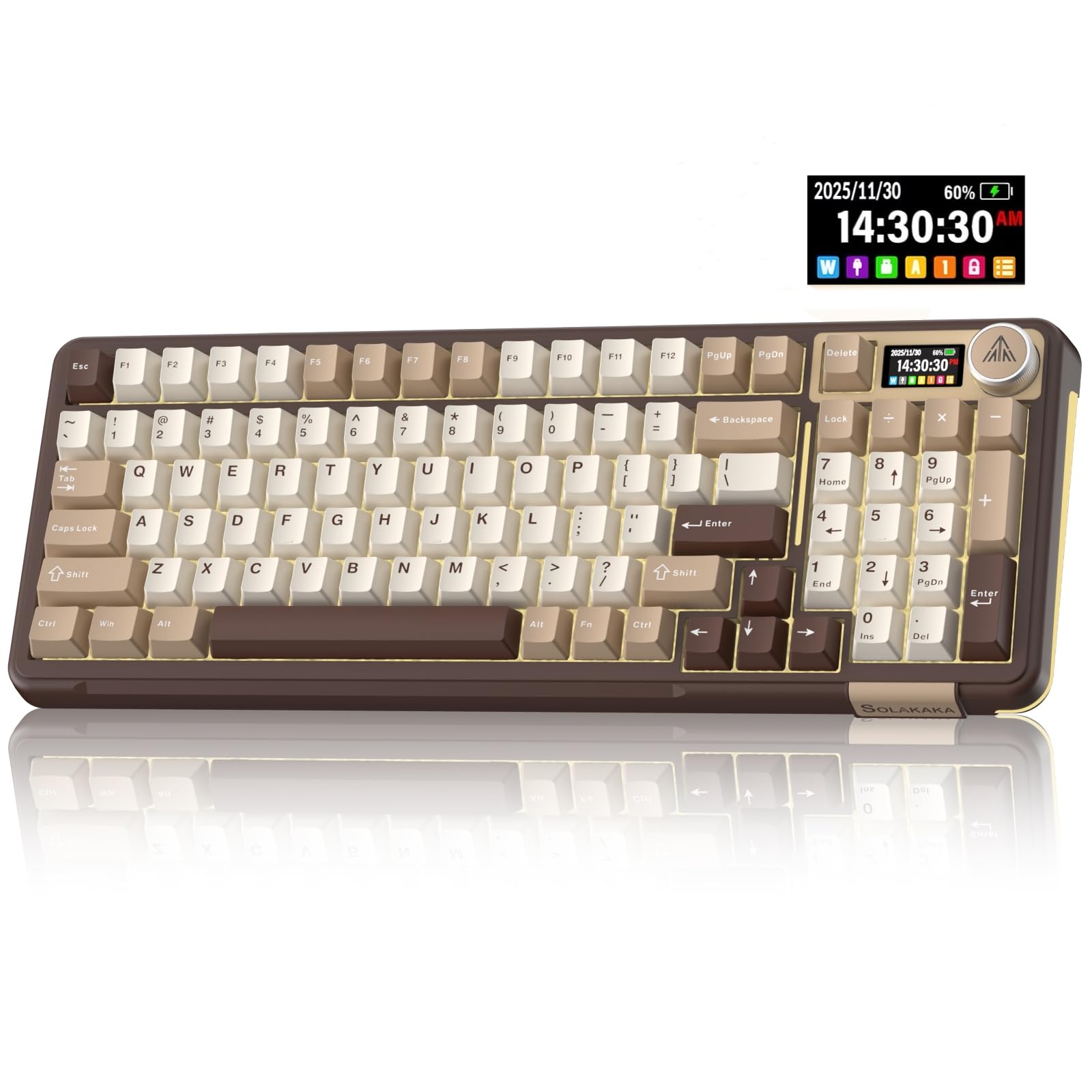
- LCD display shows time, battery and connection information.
- Supports three connection modes and saves up to five devices.
- Full hot-swap supports 3- and 5-pin switches.
Best For: People who want a number pad, device status screen and flexible connections in a customizable board.
SOLAKAKA A99 Pro 96% Wireless Keyboard
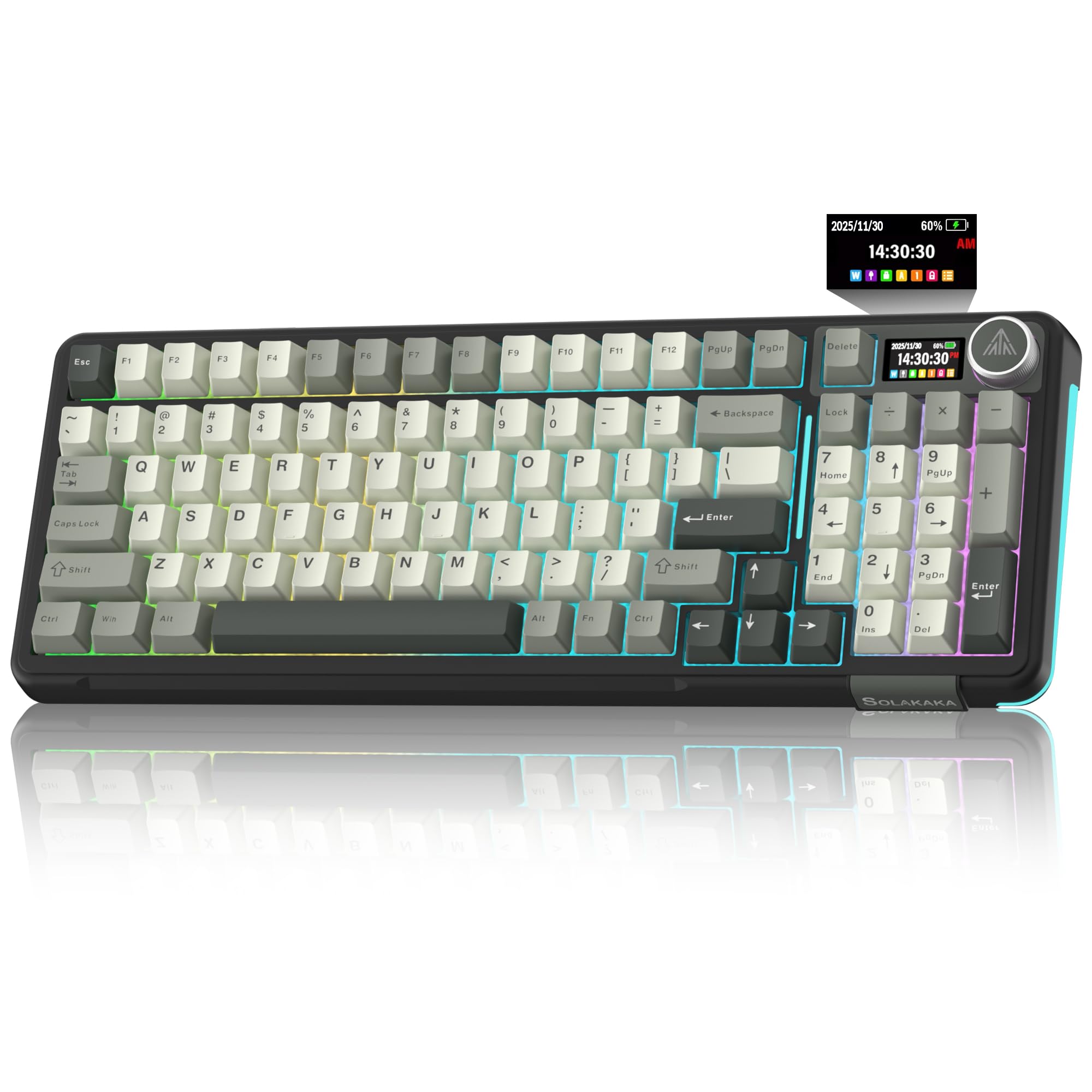
- The 96% layout has 97 keys and retains a numeric keypad and arrow keys.
- The LCD displays battery and connection information.
- Three connection modes support up to five devices.
Best For: People seeking a compact number-pad layout with a status screen and multi-device wireless options.
Quiet Multi-Device Office Pick
JLab JBuds Wireless Keyboard, 95 Key, Multi-Device Bluetooth and USB dongle, Soft Touch Keys, Media knob, Custom Profiles, Black
The JLab JBuds pairs a 95-key layout with a full numerical pad, so it keeps number entry practical while taking a slim approach to desk space. Its soft-touch keys are designed for quiet typing, and a dedicated media knob puts volume and playback within easy reach.
Bluetooth 5.2 and a USB wireless dongle support up to three connections, which helps when one desk serves several devices. The rechargeable battery is rated for up to 30 days of wireless use.
Its compact layout means fewer keys than a conventional full-size keyboard, so check that the 95-key arrangement covers your shortcuts and workflow.
Best For: People who switch between computers and value quiet typing with a number pad.
| Pros | Cons |
|---|---|
|
|
Choose this model if quiet typing, a number pad and easy device switching matter more than having every key of a full-size layout. The three-connection setup can accommodate a mixed-device desk, and the media knob keeps common playback adjustments close at hand.
Before buying, confirm that its 95-key arrangement includes the dedicated keys and shortcuts you rely on. The supplied details give a battery life estimate but do not state the battery capacity.
Backlit Full-Size Wireless Work Pick
JLab, Epic, Wireless Keyboard, Bluetooth 5.2, USB Dongle, Multi-Device, Backlit, 108 Keys, Black
The JLab Epic offers 108 full-size backlit keys, giving number-heavy and shortcut-heavy work a familiar layout. Soft-touch keys are intended for a comfortable, quiet typing feel, while the built-in media knob makes volume adjustment immediate.
Bluetooth 5.2 connects up to three devices, and a USB wireless dongle provides another connection option. Its 2000 mAh rechargeable battery is designed for extended work sessions without frequent cable searches.
The metal base adds a stable desk foundation. This is a larger, full-size choice, so it suits a desk with room for the complete layout better than a minimalist setup.
Best For: People who want a full-size layout, low-light visibility and wireless multi-device switching.
| Pros | Cons |
|---|---|
|
|
Pick the Epic if you want a familiar full-size keyboard with lighting and controls for several devices. Its 108 keys retain the conventional work layout, while Bluetooth switching and the dongle suit a desk shared with different systems.
The 2000 mAh capacity is stated, but runtime per charge is not, so battery endurance cannot be compared directly with the JLab JBuds' stated day estimate. Check desk space and whether you prefer a larger layout before choosing.
Hot-Swappable Number-Pad Mechanical Pick
SOLAKAKA KI99 Pro 96% Wireless Gaming Keyboard, RGB Creamy Keyboardw with Knob, Hot-Swappable Pre-Lubed Switches, Gasket Structure Mechanical Keyboards (Beige-White, Non-Silent Version)
The SOLAKAKA KI99 Pro combines a 96% layout with a number pad, keeping many full-size functions while reducing the footprint. Its knob adjusts volume, media playback and lighting brightness, and the keyboard supports Bluetooth, 2.4 GHz wireless and wired Type-C connections.
The 10,000 mAh battery is designed to reduce charging frequency. A gasket structure and five noise-reducing layers shape the typing feel, while hot-swappable 3- or 5-pin switches let you customize the board without soldering.
It is still a mechanical keyboard with RGB and gaming-oriented features, so consider its look and typing character alongside the office benefits.
Best For: People who want a compact mechanical board with a number pad and replaceable switches.
| Pros | Cons |
|---|---|
|
|
This is a fit for someone who wants mechanical customization and a number pad without choosing a conventional full-size board. The three connection modes broaden device placement options, and switch replacement allows the typing setup to change later.
The gasket and noise-reduction layers are relevant to office use, though the details do not give a measured sound level. Check whether a 96% layout and prominent RGB styling fit your desk and workplace expectations.
Quieter Mechanical Typing Pick
SOLAKAKA KI99 Pro Wireless Mechanical Keyboard with Quiet Switch, Hot Swappable Pre-Lubed Switches with RGB Backlit, Gasket Structure Computer Gaming Keyboard (BlackBlue, Silent Switch)
This KI99 Pro version pairs a 96% layout with silent switches and five noise-reducing layers, making quietness a central part of its design. It retains a number pad and adds a knob for volume, media and lighting brightness.
Bluetooth, 2.4 GHz and Type-C connections support different desk setups, while the 10,000 mAh battery is intended to limit charging frequency. The switches are hot-swappable, so compatible 3- or 5-pin alternatives can be installed without soldering.
It remains an RGB mechanical keyboard, and the supplied details do not quantify its sound level, so the quiet-switch description should be weighed against your workspace needs.
Best For: Mechanical-keyboard users who want a compact number-pad layout and quieter switches.
| Pros | Cons |
|---|---|
|
|
Choose this variant when you want a mechanical number-pad keyboard and prioritize quieter switches. Its compact 96% layout, multi-mode connectivity and control knob make it adaptable to mixed work and personal use.
The product details describe noise reduction but give no sound measurement, so it is difficult to predict how it will sound in a particularly quiet shared room. Confirm that the key feel and RGB styling suit your preferences, and check battery runtime expectations before relying on it away from a cable.
Compact Travel and Shared-Device Pick
JLab Go Wireless Keyboard, Bluetooth and USB dongle, Multi-Device, Compact, Black (4 Pack)
The JLab Go uses a compact, low-profile design intended to keep a workspace minimal. Its 78-key layout uses scissor switches and provides Bluetooth 5.0 or USB wireless dongle connectivity, with up to three saved device connections.
The keyboard is described as lightweight and works across Windows, macOS, iOS, Android and Chrome OS. That makes it a plausible fit for travel, home offices or desks shared with tablets and laptops.
The title identifies a four-pack, making it more appropriate for several users or locations than a single purchase. It is not water resistant, and its compact layout omits some keys found on larger work keyboards.
Best For: People outfitting several compact workstations or moving between laptop and tablet setups.
| Pros | Cons |
|---|---|
|
|
Consider this Go bundle when compact keyboards are needed at multiple workstations or for a group of mobile-device users. The low-profile 78-key layout and light construction favor portability, while three saved connections help users switch between devices.
In exchange, it provides fewer keys than a full work layout, and the offer quantity is four. Check that the compact key arrangement suits your shortcuts and number-entry habits, and keep liquids away from the keyboard.
Compact PBT-Keycap Mechanical Pick
SOLAKAKA A75 75% Wireless Mechanical Keyboard, Hot Swappable Gaming Keyboard with Multifunction Knob & RGB, Gasket Mounted Creamy Keyboard, PBT Keycaps, Compact Layout for Win/Mac/PC
The SOLAKAKA A75 uses an 81-key, 75% layout that saves desk space while retaining essential arrow keys. It supports 2.4 GHz wireless, Bluetooth 5.0 and USB-C wired connections, and can connect to up to five devices.
A multifunction knob switches between gaming and office modes; in office mode it can mute or unmute and adjust volume. The keyboard also includes hot-swappable switches, a gasket mount and PBT keycaps.
Its compact layout trades away some dedicated keys compared with a full-size board, so consider how often your work depends on a number pad or function row.
Best For: People who want a smaller mechanical keyboard with arrow keys, wireless options and PBT keycaps.
| Pros | Cons |
|---|---|
|
|
Choose this A75 if you favor a compact mechanical layout but still want arrow keys, multiple connection modes and PBT caps. Its knob has a useful office mode for volume and muting, while hot-swap support gives switch customization room.
The tradeoff is the 81-key layout, which does not provide a number pad. Also consider whether the Windows-only, wired-mode driver restriction matters for your customization workflow.
Screen and Device-Switching Mechanical Pick
SOLAKAKA A99 Pro Mechanical Keyboard with LCD Screen & Metal Knob, Wireless Gaming Keyboard with BT5.0/2.4GHz/USB-C, Hot Swappable Creamy Keyboard, Gasket Structure, RGB Backlit, for Win/Mac
The SOLAKAKA A99 Pro pairs a display and multifunction metal knob with tri-mode connectivity. The screen can show date, time, battery level, connected system and connection mode, while the knob handles system switching, lighting, brightness and volume.
It supports Bluetooth 5.0, 2.4 GHz wireless and USB-C wired use, and can save up to five devices. Full hot-swap support accommodates 3- or 5-pin switches without soldering; the supplied notes also mention a gasket structure with five cushioning layers.
It is a feature-rich mechanical board with RGB and customization options. Check its full layout details before buying, as the supplied title and notes do not establish its key count or presence of a number pad.
Best For: People who want a number pad, device status screen and flexible connections in a customizable board.
| Pros | Cons |
|---|---|
|
|
This A99 Pro is a fit if you value a screen that surfaces connection and battery information, plus a knob that handles common controls. Its support for multiple devices and connection types can suit a multi-device workspace, while hot-swap support allows switch changes.
The available details do not identify its key count or layout, which affects desk fit and number-pad access. Confirm those specifics and battery expectations before choosing it over keyboards with explicitly described layouts.
96% Layout with LCD Status Display
SOLAKAKA A99 Pro Wireless Mechanical Keyboard with LCD Screen & Metal Knob, 2.4GHz/BT5.0/USB-C, RGB Backlit Gaming Keyboard, Hot Swappable, Creamy Keyboard with Gasket Structure, for Win/Mac
This A99 Pro variant explicitly combines a 96% layout and 97 keys with a numeric keypad, arrow keys and essential function keys. Its LCD can display time, battery level, connected system and connection mode, and the metal knob offers volume, lighting and system controls.
Bluetooth 5.0, 2.4 GHz wireless and USB-C wired connections support up to five devices. The board also has hot-swappable switches, a gasket structure and RGB lighting.
It retains many work keys while saving space relative to a full layout, though exact external dimensions and battery runtime are not specified. Check desk clearance and whether its lighting-forward design suits your office.
Best For: People seeking a compact number-pad layout with a status screen and multi-device wireless options.
| Pros | Cons |
|---|---|
|
|
Choose this version when you want a number pad and navigation keys without a conventional full-size footprint, and value the screen's connection and battery indicators. Its 97-key layout is more explicitly work-ready than the A99 Pro record without layout details.
The knob and five-device support help on a multi-system desk, while hot-swap allows later changes to the switches. Check the physical dimensions and battery runtime before purchase, since neither is specified here.
How to Choose Keyboards For Work
How We Picked Keyboards for Work
We prioritized features that support everyday desk tasks: familiar number-entry options, quieter typing, media controls, multi-device connections and a layout that fits different workspaces. The JLab JBuds and Epic emphasize office use with soft-touch keys, wireless switching and practical controls.
The SOLAKAKA options add mechanical customization, while the A75 models reduce footprint and the KI99 and A99 models retain number pads in compact layouts.
Candidates centered on gaming responsiveness or esports features were left out when their records did not establish a distinct productivity advantage. We also avoided counting duplicate model offers and selected between similar variants where one record provided clearer work-relevant details, such as the A99 Pro offer with an explicit 96% layout and 97-key count.
This leaves several distinct approaches rather than ten versions of the same gaming keyboard.
Comparing Keyboards for Work
For a quiet, conventional work feel, compare the JLab models first. The JBuds has 95 soft-touch keys, a number pad, media knob and up to 30 days of wireless battery life; the Epic supplies 108 full-size backlit keys and a 2000 mAh battery.
Both support multiple devices, but the Epic makes the full-size layout and backlighting explicit, while the JBuds' compact numerical-pad layout takes less room.
Among mechanical options, layout and typing noise are key differences. The KI99 Pro silent-switch version specifically pairs silent switches with five noise-reducing layers.
Its non-silent sibling also has a 96% number-pad layout and replaceable switches. The A99 Pro 96% keeps a numeric keypad and adds an LCD status display; the compact A75s instead use an 81-key 75% format without a number pad.
The JLab Go is the most portability-oriented choice here, with 78 scissor-switch keys, low-profile construction and a four-keyboard bundle.
| Product | Standout features | Best for |
|---|---|---|
| JLab JBuds Wireless KeyboardCheck Price |
| People who switch between computers and value quiet typing with a number pad. |
| JLab Epic Wireless KeyboardCheck Price |
| People who want a full-size layout, low-light visibility and wireless multi-device switching. |
| SOLAKAKA KI99 Pro 96%Check Price |
| People who want a compact mechanical board with a number pad and replaceable switches. |
| SOLAKAKA KI99 Pro Silent SwitchCheck Price |
| Mechanical-keyboard users who want a compact number-pad layout and quieter switches. |
| JLab Go Wireless Keyboard 4-PackCheck Price |
| People outfitting several compact workstations or moving between laptop and tablet setups. |
| SOLAKAKA A75 75% Wireless KeyboardCheck Price |
| People who want a smaller mechanical keyboard with arrow keys, wireless options and PBT keycaps. |
| SOLAKAKA A99 Pro Mechanical KeyboardCheck Price |
| People who want a number pad, device status screen and flexible connections in a customizable board. |
| SOLAKAKA A99 Pro 96% Wireless KeyboardCheck Price |
| People seeking a compact number-pad layout with a status screen and multi-device wireless options. |
Choosing a Work Keyboard Layout
A number pad is useful for spreadsheets, accounting entries and frequent numeric input. The JLab JBuds and SOLAKAKA 96% models retain one, while the JLab Epic offers the conventional 108-key full-size layout.
The A75's 81-key layout saves desk space and retains arrow keys, but gives up the number pad. The JLab Go is smaller still at 78 keys, so check whether the compact arrangement leaves your everyday shortcuts accessible.
Think about how a keyboard fits alongside your pointing device and papers. A compact board can leave more desk room, while a number-pad layout spreads the keys farther across the work surface.
The product details do not provide consistent external measurements for all these models, so check dimensions for the exact configuration if your desk space is tight.
Wireless, Wired and Multi-Device Workflows
If you move between a computer, tablet and phone, the JLab wireless models provide Bluetooth and a USB dongle, with up to three connections for the JBuds and Go. The SOLAKAKA KI99, A75 and A99 Pro records add three-mode setups with Bluetooth, 2.4 GHz wireless and USB-C wired use.
Their stated multi-device capacity reaches five on several models. Match the connection modes to your devices, and check whether the receiver or cable arrangement suits your desk.
Battery details differ. The JBuds states up to 30 days of wireless use, the KI99 Pro lists a 10,000 mAh battery, and one A75 record specifies 4000mAh.
Capacity and runtime are different measures, so do not infer that one board lasts longer from capacity alone. The Epic gives a 2000 mAh capacity but no exact runtime in the supplied details.
Who Should Buy Which Keyboard for Work?
Choose the JLab JBuds for quiet soft-touch typing, a number pad and three-device switching in a slim layout. The JLab Epic suits a full-size desk setup where backlit keys and a metal base are priorities.
For a compact portable bundle, the JLab Go offers low-profile scissor switches and multiple saved connections, but its four-pack quantity is best suited to several desks.
Pick the SOLAKAKA KI99 Pro silent-switch version when reducing mechanical typing noise matters, or the standard KI99 when you want its number pad, knob and hot-swap customization. The A99 Pro 96% is a strong format match for someone who wants a number pad plus an LCD status screen.
Choose an A75 when desk space and arrow-key access matter more than number entry, and check its Windows-only wired driver requirement if you plan to configure software features.